


You must have known how powerful OpusClip can be, but you may not know that it is far from the only option to turn long-form videos into short, shareable content. Other tools provide better customization, more accurate clipping, improved captions, even more budget-friendly plans.
In this guide, we will explore OpusClip features, and the best alternatives to help you find the right fit for your content strategy and workflow.
Table of Content
OpusClip’s Top Features
Before digging into the best OpusClip alternatives, it is worth understanding what makes this tool so popular in the first place. From automatic highlight detection and smart reframing, to accurate captions and easy sharing, all features streamline what would otherwise be a time-consuming process.
Automatic Highlight Detection
OpusClip automatically scans the long video and automatically cuts it into several short clips. Each clip is scored by the algorithm so that you instantly know which clips are ready for social media.
OpusClip Feature Video Introduction
AI Reframing for Vertical Video
While converting horizontal videos into vertical formats, OpusClip keeps the subjects centered using object racking. This feature is perfect for dealing with interviews, tutorials, etc.
AI B-Roll, Caption, Voice, Audio Enhancements
OpusClip enhances the overall video quality by enhancing the original audio quality, automatically generating AI B-rolls, accurate captions, as well as voice-over.
Manual Edits
After the AI generates clips, you can jump into OpusClip’s built-in editor to make adjustments. It supports text-based editing, and manual changes like trimming, adding text overlays, adjusting framing, applying branding.
One-Click Multi-Platform Publishing
You can export and publish clips directly to major platforms. You can even schedule your videos so that you stay consistent across platforms.
FlexClip
FlexClip doesn’t position itself as a pure AI clipping tool like OpusClip. It is the combination of AI tool and editing features that make it highly effective for turning long videos into short, social ready clips. Instead of relying entirely on automation, FlexClip offers you more creative control over the output.
FlexClip Long to Short AI Overview
Key Features of FlexClip
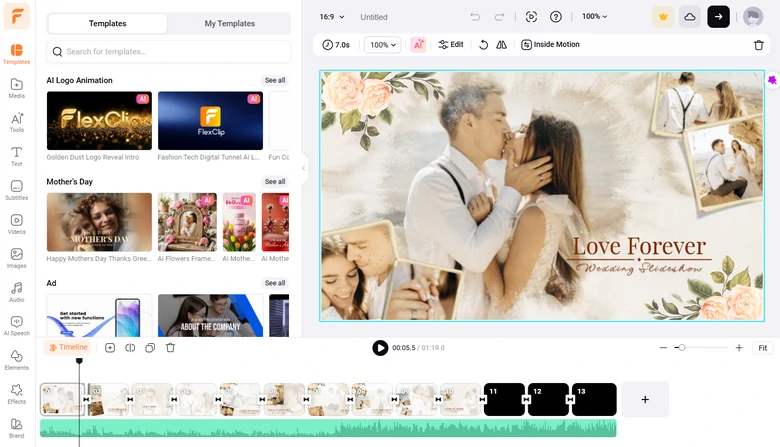
FlexClip Editing Panel Overview
Language Support
FlexClip’s AI Long to Short tool supports videos in English, Chinese, Japanese, German, Spanish, Portuguese, and Arabic. However, there are AI translation tools inside FlexClip’s editor that is ready to help create localized content for any regions.
Why Choose FlexClip Over OpusClip
Pricing
2short.ai
2short.ai is a highly focused AI clipping tool designed to turn YouTube content into vertical content optimized for Shorts, TikTok, Instagram Reels. Like OpusClip, it uses AI to analyze your video and automatically extract key moments based on the speech patterns, pacing, and emotional peaks.
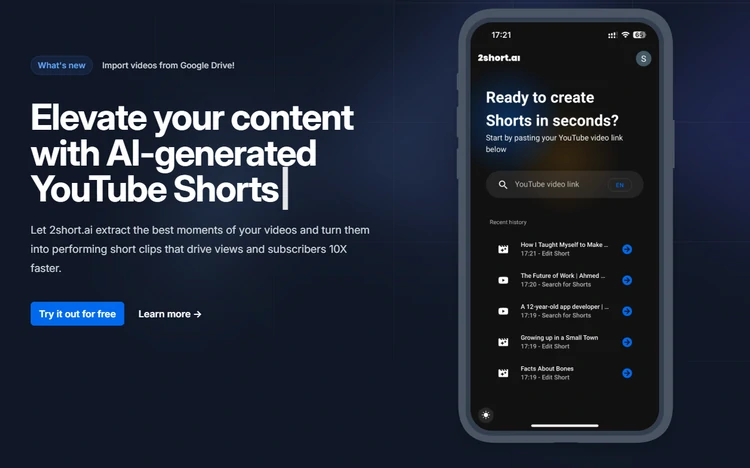
2Short.ai Interface
Key Features of 2short.ai
Language Support
2short.ai supports 20+ languages for transcription and captions, including English, Spanish,German, French, and more. However, the accuracy heavily depends on audio quality and clarity.
Why Choose 2short.ai Over OpusClip
Downsides of 2short.ai
Pricing
Quso.ai (Vidyo.ai)
Need a tool that goes beyond simple video clipping? Quso.ai acts like a complete AI content repurposing and social media management platform. While it offers AI-powered long-to-short video clipping, captions, and smart editing, its real strength lies in combining everything into one workflow. It allows you to create clips, generate captions and blogs, schedule posts across multiple platforms, and track performance from a single dashboard.
Quso.ai Overview
Key Features of Quso.ai
Language Support
While Quso.ai is not heavily marketed as a localization tool, it supports and generates global content workflows reasonably well.
Why Choose Quso.ai Over OpusClip
Downsides of Quso.ai
Pricing
Klap
Klap is a pure AI-powered clipping tool built for turning long-form videos into short, viral-ready clips with minimal effort. Similar to OpusClip, it automatically identifies your video’s key moments, and converts them into vertical clips optimized for TikTok, Reels, and YouTube Shorts.
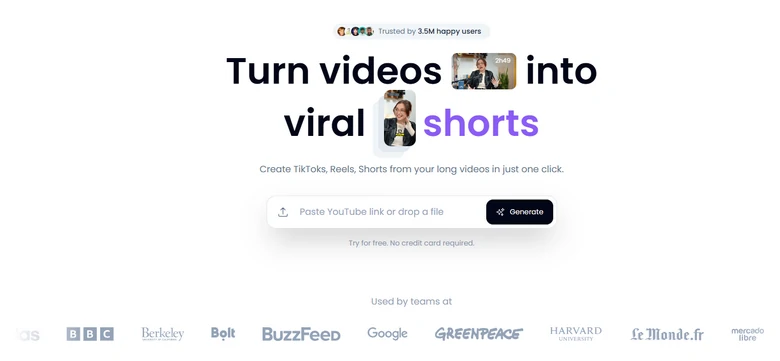
Klap Interface
Key Features of Klap
Language Support
Klap is particularly strong for international content scaling. It supports 50+ languages for transcription and captions, and offers AI dubbing in up to 29 languages.
Why Choose Klap Over OpusClip
Downsides of Klap
Pricing
Repurpose.io
Repurpose.io approaches long-to-short videos differently from OpusClip. It acts as a content automation and distribution engine that takes your long-form videos and automatically converts, resizes, and publishes them across multiple platforms.
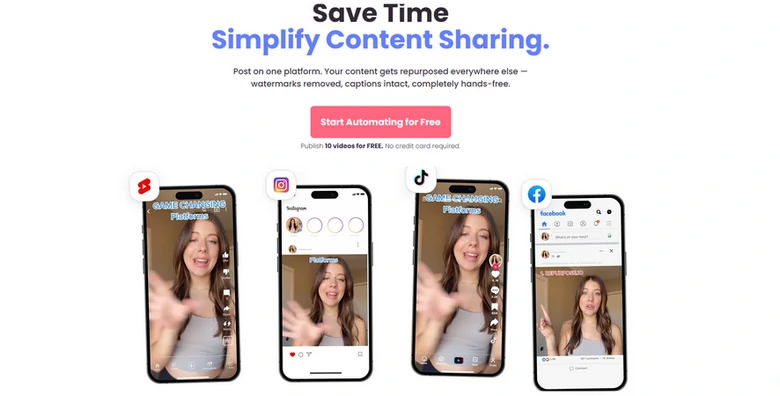
Repurpose.io Interface
Key Features of Repurpose.io
Language Support
Repurpose.io doesn’t focus on AI transcription or multilingual editing. It now only supports English videos.
Why Choose Repurpose.io Over OpusClip
Downsides of Repurpose.io
Pricing
The Bottom Line
To round up, we recommend FlexClip, 2short.ai, Quso.io, Klap, Repurpose.io as the best alternatives to OpusClip. As AI evolves, there will be more great alternatives. We will update this article as soon as there are new ones. Please stay tuned.




FlexClip AI Video Maker
Reach professional-quality videos faster with easy editing tools, templates, and smart AI.
Start Now for Free
Hot & Trending
-

7 Best Ways to Find Music in YouTube Videos
-

Instagram Story Video Quality Bad After Upload? Fix It!
-

How to Repost Video on TikTok & How to Remove TikTok Repost
-

Improve Video Quality Online: 3 AI Video Quality Enhancers You Can't Miss
-

4K Convert to HD 1080p without Watermark: Best 4k Video Converters
-

Top 13 Birthday Video Makers with Music and Effects Free
-

How to Search Filters on TikTok & Use a Filter You See - TikTok Filter Guide
-

Large Collection of Creative and Funny Birthday Video Ideas for Ones You Care




